Compress Photos Online: Shrink Large Wedding Albums for WhatsApp
The "file too large" friction
You're shooting with a modern 45-megapixel mirrorless camera. When you export a fully retouched wedding gallery from Lightroom at 100% quality, you are handing the client a folder that's easily 12GB.
This is great for a massive physical canvas print. This is absolutely terrible for a group text message or a WhatsApp forward that the subject's mom is trying to load on a 4G connection.
If you don't compress your web-delivery files alongside your high-res print files, your clients are going to post slow-loading, overly-compressed, messy-looking photos to Instagram, because the platform's compression algorithms destroy massive files. You need an automated way to squeeze these files down to mobile-friendly sizes.
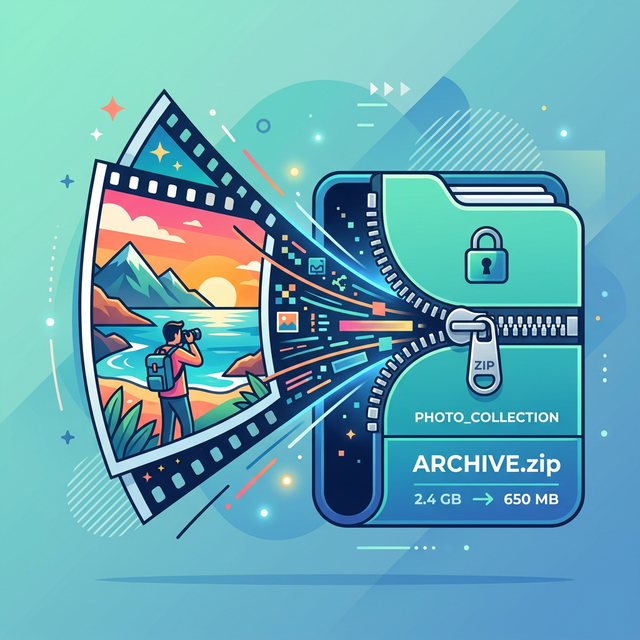
Squeezing the pixels
Most photographers re-run export presets in Lightroom. But if you've already closed out the catalog, or someone sent you a massive ZIP file of uncompressed JPEGs, setting up a new ingest just to down-res photos is annoying.
Online compression tools are everywhere, but they usually cap you at 20 images before violently shaking their digital tip-jar at you. And trying to push 12GB of raw JPEGs over your home Wi-Fi to a random server in Eastern Europe takes forty minutes.
We built the Event Album Compressor to bypass this entirely.
- No Uploads: It uses the HTML5 Canvas API in your browser to redraw the image at an optimized 2k maximum dimension, saving the blob directly to your machine. The photo never touches the internet.
- Massive Savings: It routinely takes 15MB files and compresses them down to 800KB web-perfect JPEGs—a 90%+ filesize reduction while remaining perfectly sharp on iPhone screens.
- No Limits: It's a completely free photography tool. Drop 800 photos in at once if your RAM can handle it.
Why WhatsApp mangles your photos
Before you compress anything, it helps to know what WhatsApp does on its own. When you send an image through the normal photo button, WhatsApp re-encodes it to save bandwidth. It downscales the long edge, usually to somewhere around 1,600 pixels, re-compresses the JPEG at a lower quality, and strips out a lot of the detail you spent hours retouching. A crisp 8MB export can land on a guest's phone as a soft 200KB copy.
So there are really two problems here, and people mix them up. One is that your original files are too big to send at all. The other is that WhatsApp's own compression flattens whatever you do manage to send. If you shrink a file carefully but ignore the second problem, you just watch WhatsApp squash it again on the way out.
Send as a document to keep full quality
The simplest way to dodge WhatsApp's re-compression is to attach a photo as a document instead of using the photo or gallery button. On both iPhone and Android, tap the attachment icon, choose Document, then browse to the image file. WhatsApp treats documents as files it shouldn't touch, so the recipient downloads the exact JPEG you sent, at full resolution.
The trade-offs are worth knowing. A document shows up as a file to tap and download rather than an inline preview, so it feels less casual. WhatsApp also caps a single document at 2GB, which is plenty for one photo but still a ceiling for a full album. And you can only attach a few at a time before the chat turns into a wall of downloads. For a handful of hero shots the mother of the bride wants pristine, the document trick is perfect. For 400 photos it falls apart, which is exactly why compression plus a shared link beats attachments.
Quality versus file size, and where the sweet spot sits
Compression is a set of trade-offs, not one slider. Three settings do most of the work:
- Resolution. Phone screens top out around 2,000 to 3,000 pixels on the long edge, even on a high-density display. Resizing a 45-megapixel export down to a 2K long edge throws away pixels nobody can see on a phone and cuts the file size hard.
- JPEG quality. A quality setting of 75 to 85 keeps skin tones and fabric detail clean while shaving off most of the weight. Drop below about 70 and you start seeing blocky artifacts in gradients like a bright sky or a dark reception background.
- Color and metadata. Export in the sRGB color space so phones render the colors correctly, and strip the embedded camera metadata and leftover preview thumbnails. That alone trims kilobytes off every file across a big album.
A 2K long edge at quality 80 in sRGB is a reliable default for wedding galleries headed to WhatsApp. It routinely turns a 15MB export into a sub-1MB file that still looks sharp when a guest pinches to zoom. Progressive JPEG encoding is a nice extra: the image paints a rough version first and sharpens as it loads, so a guest on spotty venue Wi-Fi sees something almost right away instead of a stalled bar.
Batch-compressing a whole album
Doing this one photo at a time wastes an evening. Every option worth using is a batch tool:
- Lightroom or Capture One export presets. Build one preset that resizes to a 2K long edge, sets JPEG quality to 80, converts to sRGB, and strips metadata, then export the whole gallery in a single click. This is the cleanest path while the catalog is still open.
- A browser-based compressor. If the catalog is closed, or someone handed you a ZIP of finished JPEGs, a tool that runs locally in the browser resizes and re-encodes without uploading anything. Your photos never leave the laptop, so there's no forty-minute upload and no question about a stranger's server holding your clients' faces.
- The command line. If you're comfortable in a terminal, ImageMagick handles a folder in one line. Something like
mogrify -resize 2000x2000 -quality 80 -strip *.jpgresizes and compresses every JPEG in the folder. Copy the folder first so you keep the originals. - Built-in OS tools. macOS Preview resizes a whole selection at once, and Automator can wrap that into a drag-and-drop action. On Windows, PowerToys adds a bulk image resizer to the right-click menu.
Whatever you pick, keep the compressed set in its own folder labeled for web or WhatsApp, and never overwrite your full-resolution masters. The print files and the share files are two different deliverables.
When compression is not enough
Compression fixes the file size. It doesn't fix the delivery. Even perfectly sized photos still leave your client forwarding a heavy album to hundreds of guests by hand, and every guest who re-shares it hands WhatsApp another chance to compress the copy. Past a certain album size, forwarding files stops making sense and a single shared gallery link does the job instead. Guests open the link, grab only the photos they're in, and each download comes straight from the gallery at the quality you set.
A note for event photographers
Compressing files gives you speed. If your client galleries load instantly on cellular networks, your photos get shared ten times more. But saving them data bandwidth is only half the battle of photo delivery.
To truly upgrade your workflow, you should consider moving away from static gallery links entirely. Check out AccioPix's automated client delivery service. It utilizes homomorphic encryption to perform facial recognition directly over WhatsApp entirely.
Instead of the client frantically messaging 400 separate guests with their compressed photos, they send out one simple AccioPix link. Guests send a selfie. They get their beautiful, instantly loading, pre-compressed photos in seconds. You get the credit, and the viral marketing reach across hundreds of social network graphs.
The economics stay friendly too. A 500-photo event runs about ₹100 in credits, and you can see the full breakdown on the pricing page or browse more setups on the photography uses page.
Frequently asked questions
Does WhatsApp compress photos when you send them?
Yes. Sending an image through the normal photo button tells WhatsApp to re-encode it, which downscales the long edge and lowers the JPEG quality to save data. That's why a sharp export can arrive looking soft. Sending the same file as a document skips that step and keeps the original.
How do I send full-quality wedding photos on WhatsApp?
Attach the photo as a document instead of using the photo or gallery button. Tap the attachment icon, choose Document, and pick the image file. WhatsApp leaves documents at their original resolution and quality, up to a 2GB limit per file. The catch is that the recipient sees a file to download rather than an inline preview, so it works best for a few favorites rather than a whole album.
What image size is best for WhatsApp sharing?
For phone screens, resize to roughly a 2,000-pixel long edge and export JPEG at quality 80 in the sRGB color space. That keeps photos crisp when a guest zooms in while cutting the file size by 80 to 90 percent. Going bigger just burns data that a phone display can't show anyway.
Can I compress a whole wedding album at once?
Yes. Batch export presets in Lightroom or Capture One, a browser-based album compressor, or command-line tools like ImageMagick can resize and re-encode hundreds of photos in one pass. Keep the compressed set in a separate folder so you never overwrite your full-resolution masters.
Why WhatsApp wrecks photo quality and how to deliver crisp originals.
Cull, convert, and compress event photos locally without any uploads.
Turn iPhone HEIC files into shareable JPGs right in your browser.
AccioPix
← Back to Blog