QR vs hashtag vs link: Why your guests aren't sharing their wedding photos
You paid $50 for a custom wooden sign that says #TheSmithsSayIDo. You put it on every table. You even put it on the bar menu. The wedding ends, you wake up the next morning, click the hashtag on Instagram, and find... three photos. One is of the salad, and two are blurry selfies from your college roommate who was four drinks in by 9 PM.
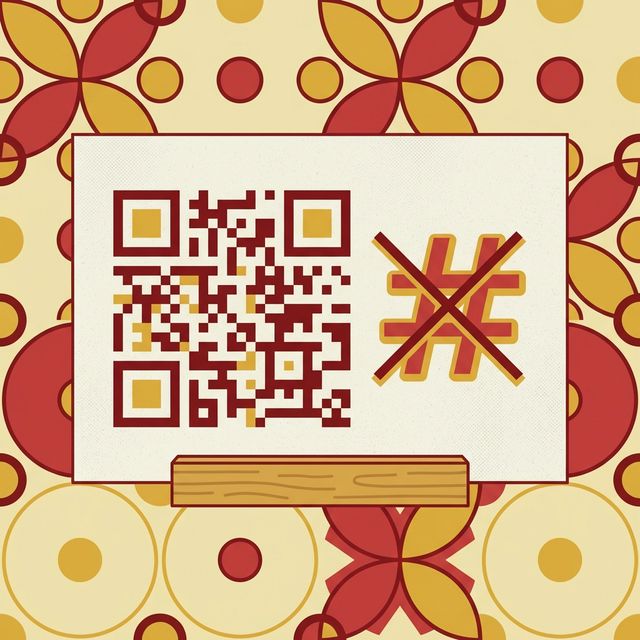
The event hashtag is dead. It's been dead for five years, but Pinterest boards haven't gotten the memo yet. If you want to actually get the 2,000 photos your guests took on their $1,200 iPhones, you have to stop asking them to do work. In 2026, friction is the enemy of sharing. When you ask a guest—who is three drinks in and dancing to a 90s hip-hop track—to type in a complicated hashtag, you're not asking for a favor; you're asking for a miracle.
See it in action
Here's the fastest way to get every guest's photos into one place — no hashtag, no app, just a link they tap and upload to.
The friction problem: people are lazy
This isn't an insult; it's a design constraint. When someone is at a wedding, they want to dance, drink, and talk. They don't want to open Instagram, type a 20-character hashtag correctly (ensuring they don't misspell #TheAndersonsAtTheArboretum), ensure their profile isn't private, and hit post. That's too many steps. Every step you add to a process loses 20% of your audience. By the time you get to "Type this specific hashtag," you've already lost the room.
The private profile wall
The biggest flaw with hashtags is privacy. Most people—rightfully so—have private social media profiles. Since Instagram's API limits hashtag search to public posts, if a guest with a private account posts a photo using your hashtag, it won't show up in the public hashtag search. You'll never see it. You're essentially asking your guests to change their security settings or let "The Public" see their feed just for your wedding. It's not going to happen. You end up with a "Ghost Hashtag"—a link that exists but leads to nothing but a few public posts from your wedding planner.

Scenario: the missing midnight memories
It's midnight. The formal photographer packed up two hours ago. The "real" party is happening near the bar. This is where the best, un-staged photos happen. But because there's no easy way to share them, they stay on people's camera rolls. By the time they wake up the next morning, the moment has passed. They aren't going to go back and post 15 photos to a hashtag. They might send them to a couple of people privately, but they are lost to the collective memory of the event.
Why QR codes made a comeback
QR codes used to be the joke of the tech world. Then 2020 happened, and QR code usage surged globally as every restaurant on earth forced us to scan a code for a menu. Now, everyone—from your 8-year-old nephew to your 80-year-old grandmother—knows how to open their camera app and point it at a square. It's the most intuitive interface we have left. It bypasses the keyboard entirely. No typing, no spelling mistakes, no "Wait, was it 2025 or 2026?". It's a physical bridge to a digital space.

Links in bios and why they fail
Some people try the "Link in Bio" approach. "Check the link in my bio to upload photos!" This is even worse than a hashtag. Now the guest has to find your profile, find the link, click it, and then navigate a mobile browser. By the time the page loads, the cake cutting has started, and the phone is back in their pocket. If it's not instant, it's not happening.
A comparison of guest sharing methods
| Method | Friction Level | Adoption |
|---|---|---|
| Custom Hashtag | High (Typing, Privacy issues) | Minimal |
| Shared Album Link | Medium (Copy/Paste, App login) | Moderate |
| QR Code to Site | Low (Single scan) | High |
| AccioPix AI QR | Zero (Scan + Automated WhatsApp) | Maximum |
When each method actually works
None of these three is useless. They just fail in different places, and the size and makeup of your guest list decides which one holds up.
The hashtag: fine as decor, weak as a collection tool
Pros: it costs nothing, it looks good on a sign, and people remember it. Cons: it depends on guests typing a string correctly, keeping their profile public, and actually posting to a platform. Miss any one of those and the photo never reaches you. A hashtag earns its keep at a conference or a product launch with a social team watching the feed in real time. At a private wedding, where half the room runs a locked account, it turns into the ghost hashtag from earlier: a salad photo and little else.
The shared link: workable for a small group who already trust you
Pros: nothing to print, and you can drop it straight into a group chat. Cons: a link is easy to lose. It slides up the WhatsApp scroll behind forty other messages, and if it opens an app-install screen or a login wall, most guests give up. It holds up for a twelve-person trip where everyone already knows you and the chat is short. Scale it to two hundred wedding guests spread across five different chats and the link disappears within the hour.
The QR code: the lowest-friction option for a room full of strangers
Pros: no typing, no spelling, no app to hunt for. The camera every guest already has is the whole interface, and grandparents scan it about as easily as teenagers. Cons: you have to print it and place it well, and it's only as good as the page it opens. Point it at an app-download wall or an empty folder and you've wasted the scan. Point it at a one-tap upload page and it's the closest any of these gets to zero effort, which is why it wins at weddings, receptions, and any event where the guests don't share a single chat.
The app download barrier
If your "Link" or "QR Code" leads to a page that says "Download our app to see photos," you've failed the Bar Test. Nobody wants to download another 150MB app for a four-hour event. They'll see that screen, hit the 'X', and go back to their drink. Your wedding isn't an operating system; it's a celebration. The tech should live in the browser or the apps they already have (like WhatsApp).
How to actually use QR codes effectively
Don't just stick a QR code on a generic piece of paper. Place them strategically. One on the bar (where people wait), one on the back of the ceremony program, and maybe a large one near the exit. When they scan it, it shouldn't just be an empty folder. It should be an invitation to join the "Live Stream" of the wedding photos.
Systems like AccioPix take this a step further. Instead of just a generic upload link, the QR code connects their face to their phone number via WhatsApp. Now, for the rest of the night, whenever *anyone* takes a photo of them, that photo magically appears on their phone. This turns the guest from a "Content Provider" into a "Content Receiver," which is a much more enjoyable experience.
The bar test: keeping it simple
If you have to explain the process for more than ten seconds, it's too complicated. "Scan this, get your photos" is the pitch. If you have to say "Scan this, create an account, verify your email, join the folder, and then upload," you've already lost the guest. Aim for the "One Tap" experience. If it's any more than that, stick to the professional photographer and accept you won't see the candid ones.
If you're the photographer covering this event
None of this replaces you. The pro shots, the first look, the ceremony, the posed family groups, are still the reason you got hired. Guest QR uploads fill the gap you physically cannot cover: the candids at the far table, the dance floor at midnight, the reactions you had your back to. When those land in the same album as your edits, the couple gets a fuller story and you look like the person who thought of everything.
It's also less admin. Instead of fielding "where are my photos?" texts for two weeks, you point guests at one QR code on the night and let the gallery collect the rest. A 500-photo event runs about ₹100 in credits, so it doesn't eat your margin. For the longer version, read how to grow your photography business and how other shooters use AccioPix for photo delivery.
Frequently asked questions
What is the best way to collect guest photos at a wedding?
For anything bigger than a close group chat, use a QR code that opens a no-login upload page. It removes the two things that kill a hashtag or a link: typing and app gates. Guests scan with the camera they already have open, tap once, and the photos land in your album. Hashtags and links still have their place, but as your main collection method they leak too many photos.
Should I still create a hashtag just in case?
Sure, if it's for your own sentimental value or if you want it on your physical decor. But don't rely on it for your photo collection. Think of a hashtag as a "Brand" rather than a "Tool." Use it to label things, but use a QR code to actually move the data.
Can I just make my own QR code for a Google Drive folder?
You can, and it's better than a hashtag. But remember the "Drive Wall." If you send guests to a folder with 1,000 photos, they have to hunt and peck for their own. Most will give up after three scrolls. A generic QR is a step in the right direction, but personalization is the finish line.
Will guests actually scan a QR code at a formal wedding?
Yes, but placement is key. Don't hide it. Make it part of the experience. We've seen 90%+ adoption rates when the QR code is presented as a way to "Find your photos" rather than just "Upload photos." People are much more likely to engage with tech when it gives them something immediately.
The goal is to capture the moments the pro missed—the college friends laughing at a table, the aunt crying in the back row, the tequila shots at midnight. These aren't captured via hashtags. They're captured when the sharing process is so easy it's basically invisible. Kill the hashtag, embrace the QR, and let the AI handle the rest.
Get photos to hundreds of guests instantly, with no app downloads.
Solve the guest photo collection problem and gather every candid.
Send full-quality wedding photos that don't end up looking like grain salad.